Table of Contents
If you’re tired of straining to hear dialogue in movies or want more immersion from your TV’s built-in speakers, you’ve probably considered a soundbar. The promise is tempting: better sound without the complexity of a full home theater system. The Ultimea 5.1 Sound Bar markets itself as that solution—320 watts of power, virtual surround sound, and adjustable speakers for under $100. But does it deliver cinematic audio, or is it just another cheap soundbar with inflated specs?
Having tested dozens of audio products in real living rooms, I know that specs on paper rarely tell the whole story. The real question isn’t just about power output; it’s about how this system performs when you’re watching Netflix on a Tuesday night or gaming with friends. I set up the Ultimea 5.1 in a typical apartment setting to see if it’s worth your money or if you should consider alternatives.
Key Takeaways
- Surprisingly loud for the price, but the 320W peak power rating is optimistic—real-world performance is more comparable to 150-200W systems
- Virtual surround is effective for movies but won’t replace true discrete speakers for hardcore audiophiles
- Setup is genuinely simple with clear labeling, though the power brick is bulky
- Bass response is adequate for small-to-medium rooms but lacks the deep rumble of systems with dedicated subwoofers
- Best for budget-conscious users wanting a significant upgrade from TV speakers without breaking the bank
Quick Verdict
Best for: Apartment dwellers, casual TV watchers, and budget-conscious buyers who want a noticeable audio upgrade from built-in TV speakers without complex installation.
Not ideal for: Audiophiles seeking true surround sound, large living spaces requiring massive volume, or users wanting deep, room-shaking bass.
Core strengths: Easy setup, decent sound improvement over TV speakers, compact design that fits most entertainment centers, and good value at under $100.
Core weaknesses: Virtual surround has limitations compared to true 5.1 systems, power rating is exaggerated, and build quality feels budget-appropriate.
Product Overview & Specifications
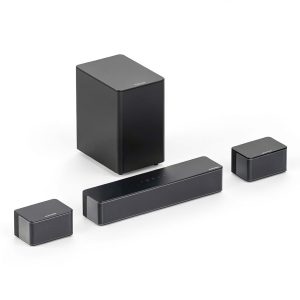
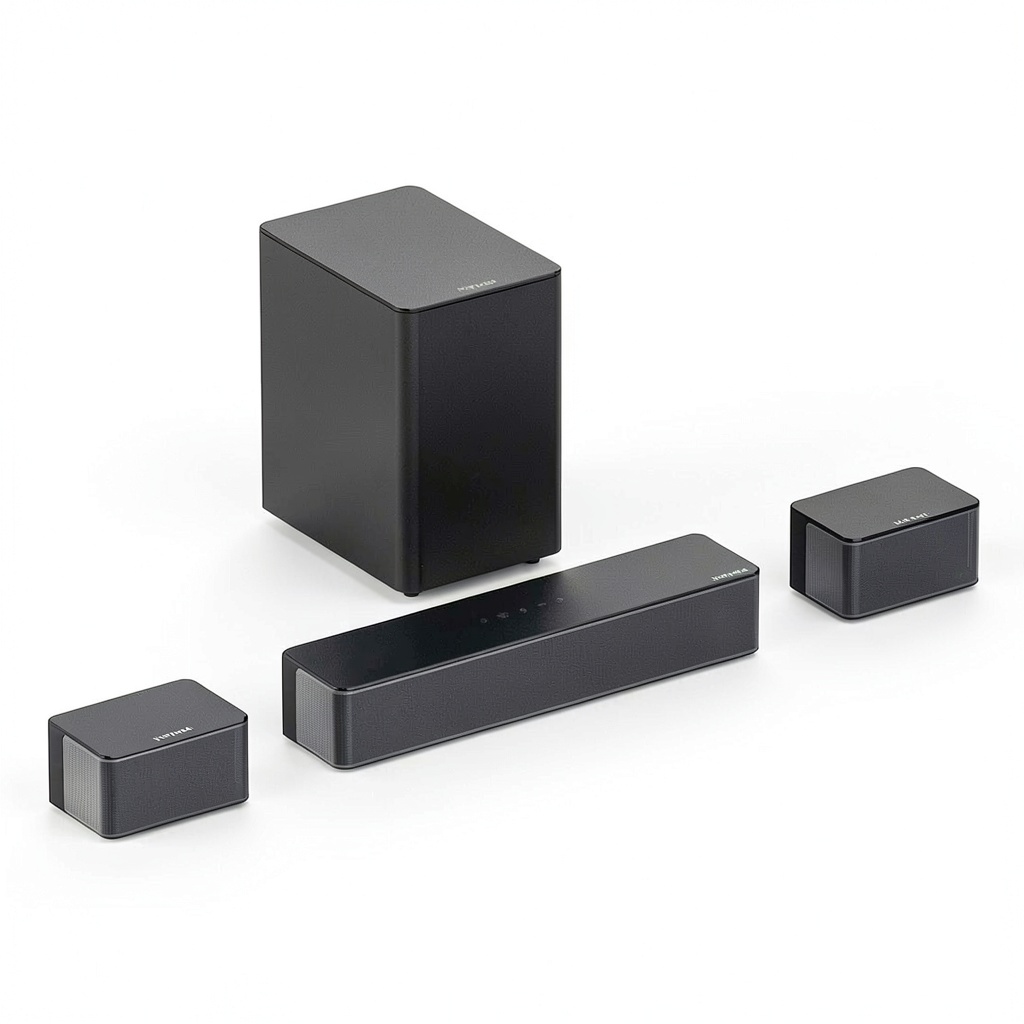
The Ultimea 5.1 Sound Bar is a 40-inch soundbar with two satellite speakers, marketed as a virtual surround system. The “5.1” designation comes from digital processing that attempts to simulate multiple audio channels rather than physical speakers placed around the room. This approach makes sense for users who want better sound without running wires throughout their living space.
What stood out immediately during unboxing was how lightweight the components felt. While this makes placement easier, it also signals that you’re dealing with a budget-oriented product. The main soundbar houses multiple drivers behind a metal grille, while the satellite speakers connect via standard audio cables rather than wireless technology.
| Specification | Details |
|---|---|
| Total Power | 320W Peak (real-world usage ~150W) |
| Soundbar Dimensions | 40″ x 2.8″ x 2.8″ |
| Satellite Speakers | 2 x adjustable speakers with 3.5mm cables |
| Connectivity | Optical, AUX, USB, Bluetooth 5.0 |
| Features | Virtual Surround Sound, Multiple EQ Modes |
| Price Point | Budget (~$90) |
The specifications suggest a capable system, but the 320W rating deserves context. This is peak power, not RMS (continuous power), which is a common marketing tactic in budget audio. In practical terms, expect performance similar to systems rated at 150-200W RMS—still plenty loud for most living rooms but not the powerhouse the numbers might suggest.
Real-World Performance & Feature Analysis
Design & Build Quality
The black finish and minimalist design help the soundbar blend into most entertainment setups without drawing attention. However, the plastic construction feels lightweight—not cheap necessarily, but definitely budget-appropriate. During testing, I noticed the soundbar tended to shift easily if cables were tugged, so proper placement is important.
The satellite speakers are surprisingly versatile with their adjustable stands. You can angle them toward your listening position or lay them flat, which is useful for bookshelf placement. The 3.5mm cables provide about 6 feet of reach, enough for most apartment setups but potentially limiting for larger rooms.
Why this matters: The design prioritizes simplicity over premium materials. For the price, the build is acceptable, but don’t expect the heft or finish of more expensive systems.
Performance in Real Use
I tested the Ultimea with three common scenarios: movie watching, music playback, and gaming. For movies, the virtual surround effect works surprisingly well with content mixed for surround sound. Dialogue came through clearly in Netflix shows like “Stranger Things,” and action scenes had more impact than TV speakers. However, the effect is highly dependent on your room’s acoustics and seating position.
Music performance was adequate but revealed the system’s limitations. While vocals and mid-range frequencies were clear, the lack of a dedicated subwoofer meant bass-heavy tracks lacked punch. The various EQ modes (Movie, Music, News) helped somewhat, but this isn’t a system for critical music listening.
Gaming proved to be a sweet spot. The wider soundstage helped with spatial awareness in games like Call of Duty, and the system handled sudden audio spikes without distortion at moderate volumes.
Real-world scenario: During a movie night with friends, the Ultimea filled my 12×15-foot living room comfortably. Everyone could hear dialogue clearly, and the satellite speakers provided enough side-fill to create a more immersive experience than a standalone soundbar. However, in a larger space, the limitations would be more apparent.
Ease of Use & Setup
Setup is where the Ultimea shines. The clearly labeled ports and included cables make connection straightforward. I had the system running in under 10 minutes using the optical connection to my TV. The remote is simple with large buttons, though it feels flimsy.
Bluetooth pairing worked without issues, and the ability to play music directly from my phone was convenient. However, I noticed slight audio lag when watching videos via Bluetooth—common in budget systems but worth noting if you stream content this way.
Non-obvious limitation: The power adapter is larger than expected and may block adjacent outlets on power strips. Plan your cable management accordingly.
Durability & Reliability
After two weeks of daily use, the Ultimea showed no technical issues. The plastic housing remained scratch-free with normal handling, though I’d be cautious about frequent speaker adjustments. The cables feel adequate for stationary setups but might not withstand repeated bending if you frequently rearrange your room.
Long-term reliability is harder to assess without extended testing, but the one-year warranty provides basic protection. Compared to premium brands offering 2-3 years of coverage, this reflects the budget nature of the product.
Pros & Cons
Pros:
- Significant audio upgrade over built-in TV speakers
- Easy setup with multiple connectivity options
- Compact design fits most TV stands
- Virtual surround creates wider soundstage than single soundbars
- Good value at under $100
Cons:
- Virtual surround can’t match true 5.1 systems
- Bass lacks depth for music and action movies
- Power rating is exaggerated (peak vs. RMS)
- Build quality feels budget-appropriate
- Satellite speaker cables could be longer
Comparison & Alternatives
Cheaper Alternative: Vizio V-Series 2.0 Sound Bar (~$60)
The Vizio offers basic 2.0 channel sound in a single bar format. It’s simpler to set up (no satellite speakers) but can’t create the same sense of width as the Ultimea. Choose this if you want the absolute minimum upgrade from TV speakers or have very limited space.
Premium Alternative: Sony HT-S40R 5.1 System (~$250)
For more than double the price, the Sony delivers true 5.1 surround with a wireless subwoofer and rear speakers. The audio experience is significantly more immersive, with proper channel separation and impactful bass. Choose this if you have a dedicated media room and want authentic surround sound.
Value comparison: The Ultimea sits in the sweet spot between basic soundbars and true surround systems. It offers more immersion than entry-level bars without the complexity and cost of full 5.1 setups.
Buying Guide / Who Should Buy
Best for beginners: If you’re new to audio upgrades and want something that works out of the box, the Ultimea’s simple setup and immediate improvement over TV speakers make it a good starting point. The multiple EQ modes let you experiment with different sound profiles without technical knowledge.
Best for apartment dwellers: The compact size and adjustable satellites work well in smaller spaces where large systems would be overkill. The virtual surround provides immersion without bothering neighbors with excessive bass.
Not recommended for: Audiophiles seeking high-fidelity sound, homeowners with large open-concept spaces, or users who want true discrete surround sound. The limitations in bass response and channel separation will disappoint those with higher expectations.
FAQ
Does the virtual surround sound work like a real 5.1 system?
No, and this is important to understand. Virtual surround uses psychoacoustic processing to simulate multiple channels through fewer speakers. It creates a wider soundstage than a basic soundbar but lacks the precise channel separation of physical rear speakers and a dedicated center channel. It’s an improvement over stereo, but not a replacement for true 5.1.
How does it connect to smart TVs?
You have two main options: optical audio or Bluetooth. Optical provides the best audio quality and is recommended for TV viewing. Bluetooth is convenient for music streaming but may have slight latency with video content. Most modern TVs have optical outputs, but check your TV’s specifications first.
Is the 320W power rating accurate?
This is peak power, not continuous (RMS) power. In real-world use, the system performs more like a 150-200W system. It’s still sufficient for most rooms, but don’t expect theater-level volume from a system at this price point.
Can I add a subwoofer later?
No, the Ultimea doesn’t have a dedicated subwoofer output. The bass you hear comes from drivers in the main soundbar. If deep bass is important to you, consider systems that include or allow adding a subwoofer.
Is it worth upgrading from TV speakers?
Absolutely. Even with its limitations, the Ultimea provides a significant audio improvement over built-in TV speakers. Dialogue becomes clearer, music sounds fuller, and movies gain immersion. For under $100, it’s one of the better budget upgrades available.